
Ignore Patterns
Ignore patterns let you suppress known noise so meaningful changes are easier to review.
For instance, it’s common for log files to contain changing UUIDs and dates.

Enabling UUID and 8601 patterns ignores matching values for diffing purposes.

Ignore patterns do not edit file contents. The operations edit, copy, solve, and save still use the original text.
Mode Coverage
How are ignore patterns used?
- Text Diff and Text Merge use ignore patterns for text matching and display.
- Folder Comparison uses ignore patterns for filename/path matching.
Ignore Pattern Menu
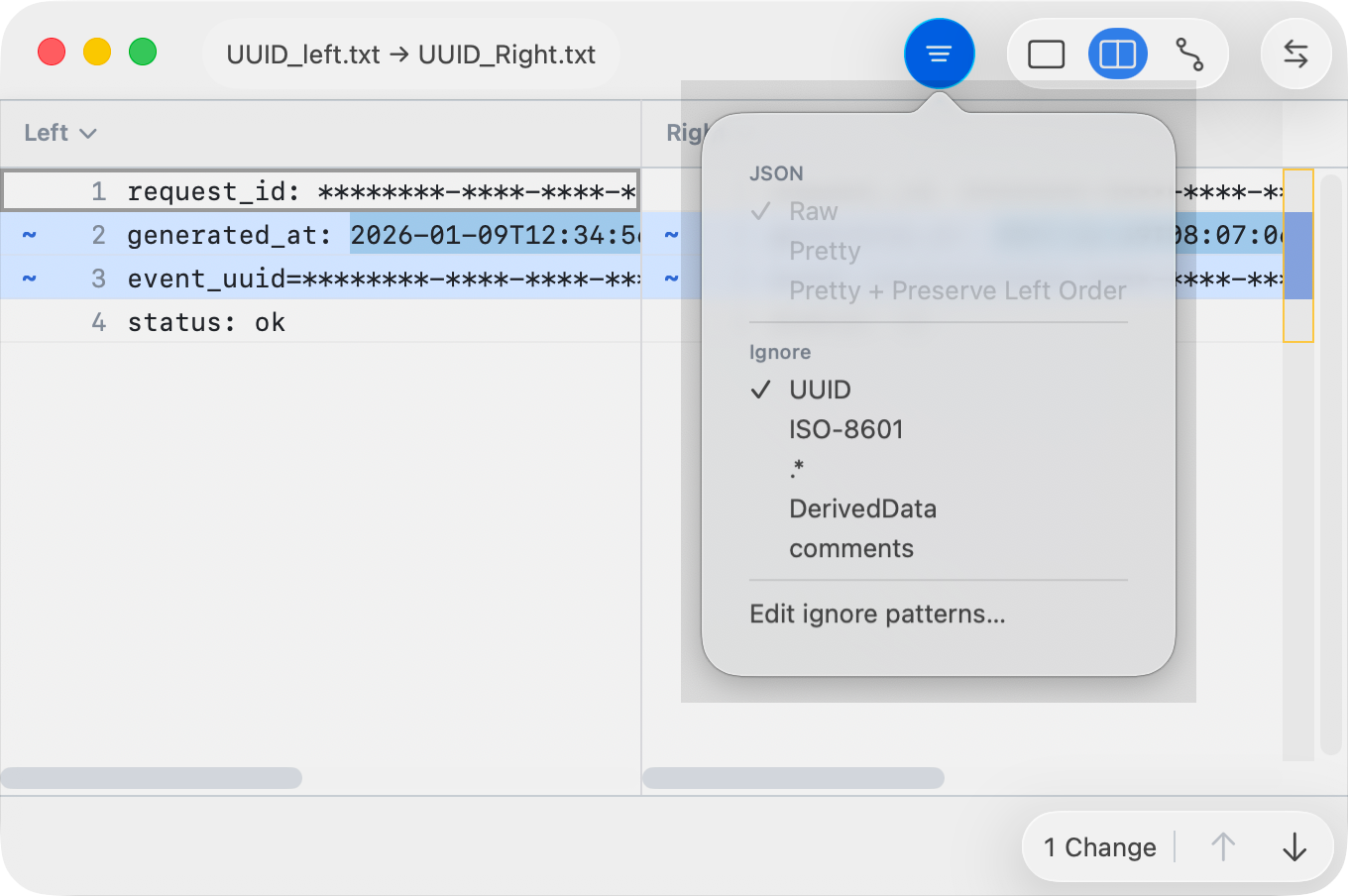
In supported views, use the settings button (top right):
- Toggle rules on or off (for example UUID and ISO-8601 timestamp).
- Open Edit ignore patterns… to manage rules.
Edit Ignore Patterns
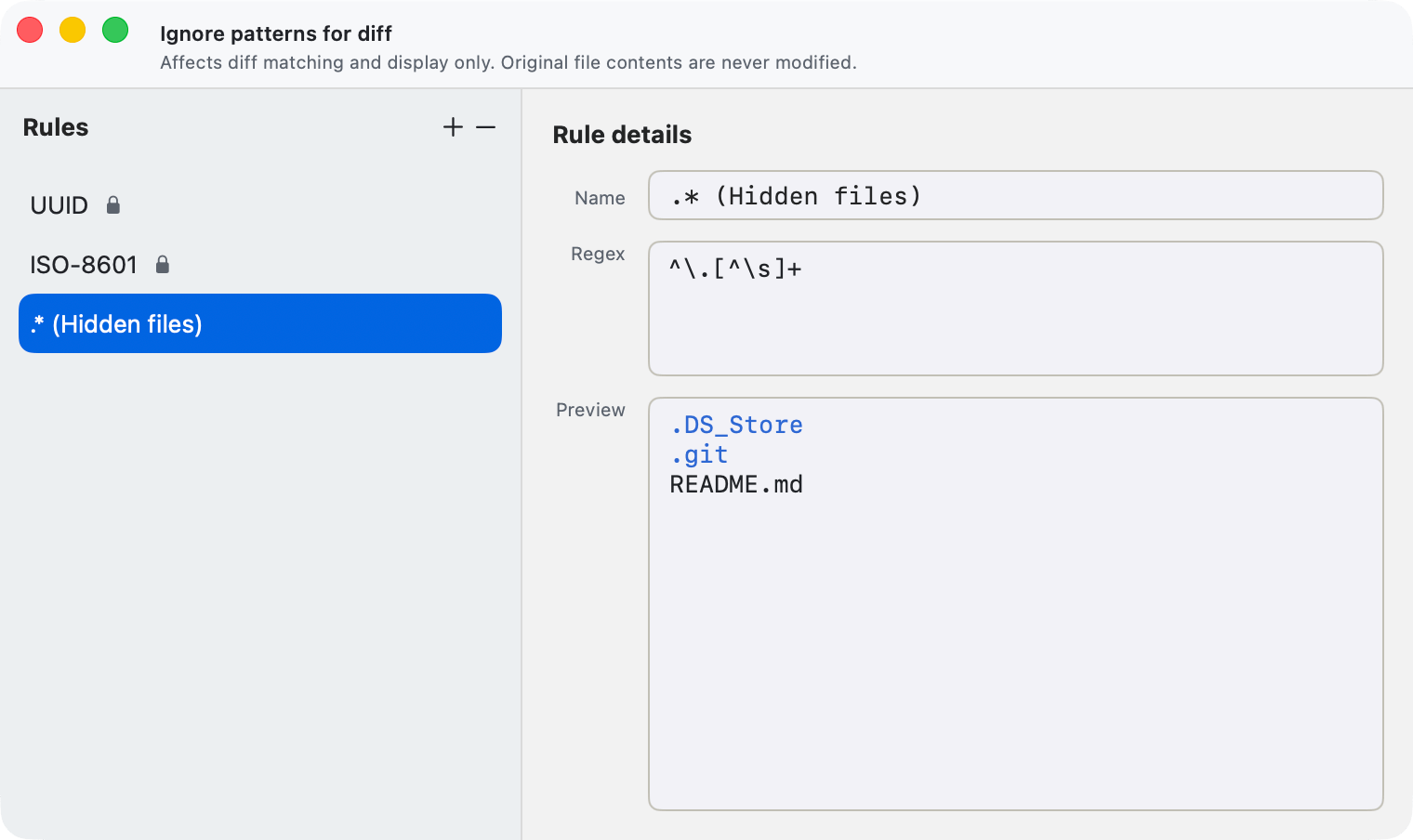
A pattern is a regex that matches text to be excluded. Invalid regex rules are highlighted and ignored until fixed.
If you enable a rule in a diff or merge screen, the content will keep refreshing while you edit the rule. Otherwise you can use the preview area to ensure the regex works as expected.