
Folder Comparison
Folder comparison shows differences across two directory trees.
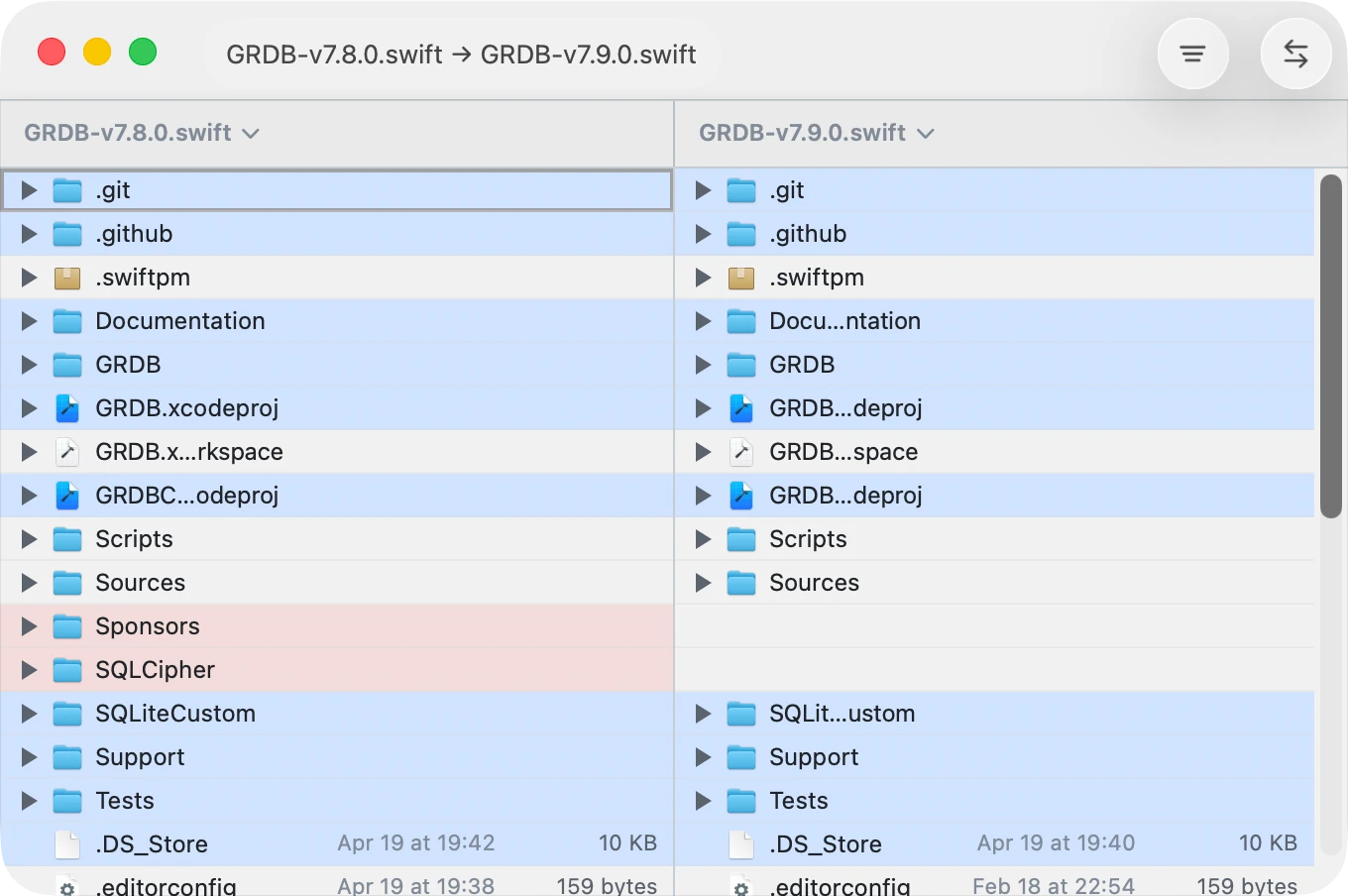
Start a Folder Comparison
Drop two folders onto the content panes to open a folder comparison.
What You See
- Entries are aligned by their relative path.
- Added, removed, and modified entries are highlighted.
- Missing items appear as blanks on the side where they do not exist.
- Folders can be expanded to reveal nested changes.
Navigate the Tree
- Use disclosure controls to expand or collapse folders.
- You can also use keyboard arrows to expand or collapse the selected folder row.
- Expand everything, or expand all folders containing changes by right clicking a folder.
Key Actions
| Action | Shortcut |
|---|---|
| Copy selected item(s) to left | ⌘← |
| Copy selected item(s) to right | ⌘→ |
| Previous / next change | ⌥↑ / ⌥↓ |
| Expand / collapse selected folder | → / ← |
| Switch active pane | ⇥ |
| Move selected item(s) to Trash | ⌫ / ⌦ |
Copy Between Sides
Folder diff lets you copy files and folders from one side to the other.
- Select one or more rows.
- Make sure the pane you want to copy from is active.
- Use either:
- File ▸ Copy to Left / Copy to Right
- Edit ▸ Copy Selected Lines to Left / Right
- Keyboard:
⌘←/⌘→
If the destination already contains an item at that path, ABDiff replaces it during the copy. If both a folder and one of its descendants are selected, copy and trash operate only on the top-level selected folder.
Right-clicking a row also shows Copy to Left, Copy to Right, and Move to Trash with their keyboard shortcuts when applicable.
View Options
Use the bottom-left options menu for filtering controls:
- Ignore hidden files
- Ignore pattern toggles and Edit ignore patterns…
For rule behavior and editing details, see Ignore Patterns.