
Git 集成
这假设你已经安装了
abd。
配置
git config --global merge.tool abd
git config --global mergetool.abd.trustExitCode true
git config --global mergetool.abd.cmd 'abd --base "$BASE" --local "$LOCAL" --remote "$REMOTE" --result "$MERGED"'

git config --global diff.tool abd
git config --global difftool.prompt false
git config --global difftool.abd.cmd 'abd --local "$LOCAL" --remote "$REMOTE"'
将你的 Git 仓库,或任何父文件夹,添加到设置 ▸ 文件夹访问。
从 Git 使用
使用 git difftool 审查变更。
- 它会在普通双向差异界面中逐个打开已跟踪文件的差异。
- 关闭一个窗口后,Git 会提示打开下一个。
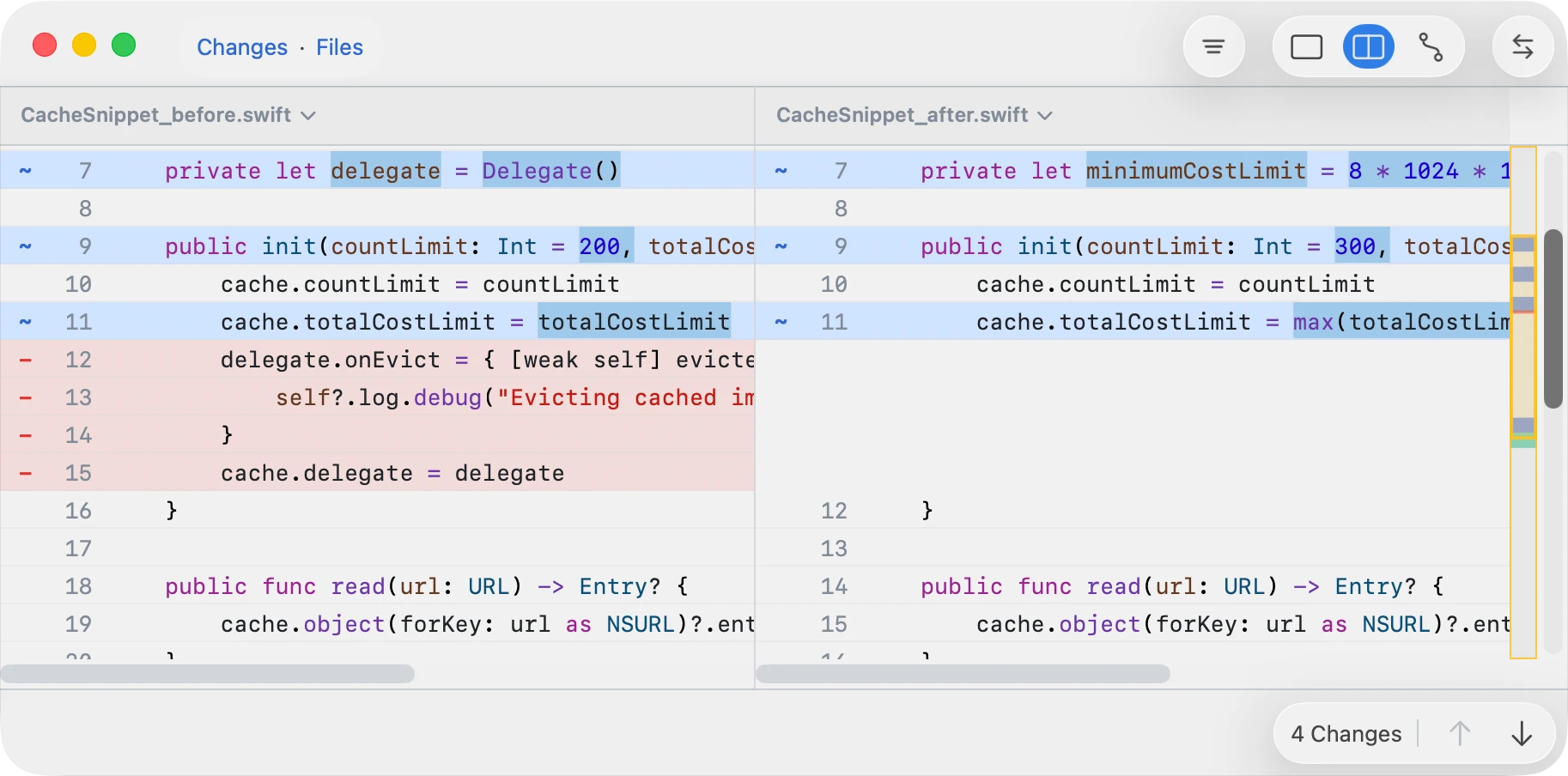
使用 git mergetool 解决冲突。
- 它会逐个在窗口中打开每个冲突。
- 关闭一个窗口后,Git 会提示打开下一个。
- 窗口会在边栏中列出所有冲突,并在右侧显示三方查看器;如果文件不是文本,则显示双向查看器。
- 在冲突边栏中,使用 上箭头 和 下箭头 在文件之间移动,并右键点按一行以打开文件级解决和信息操作。
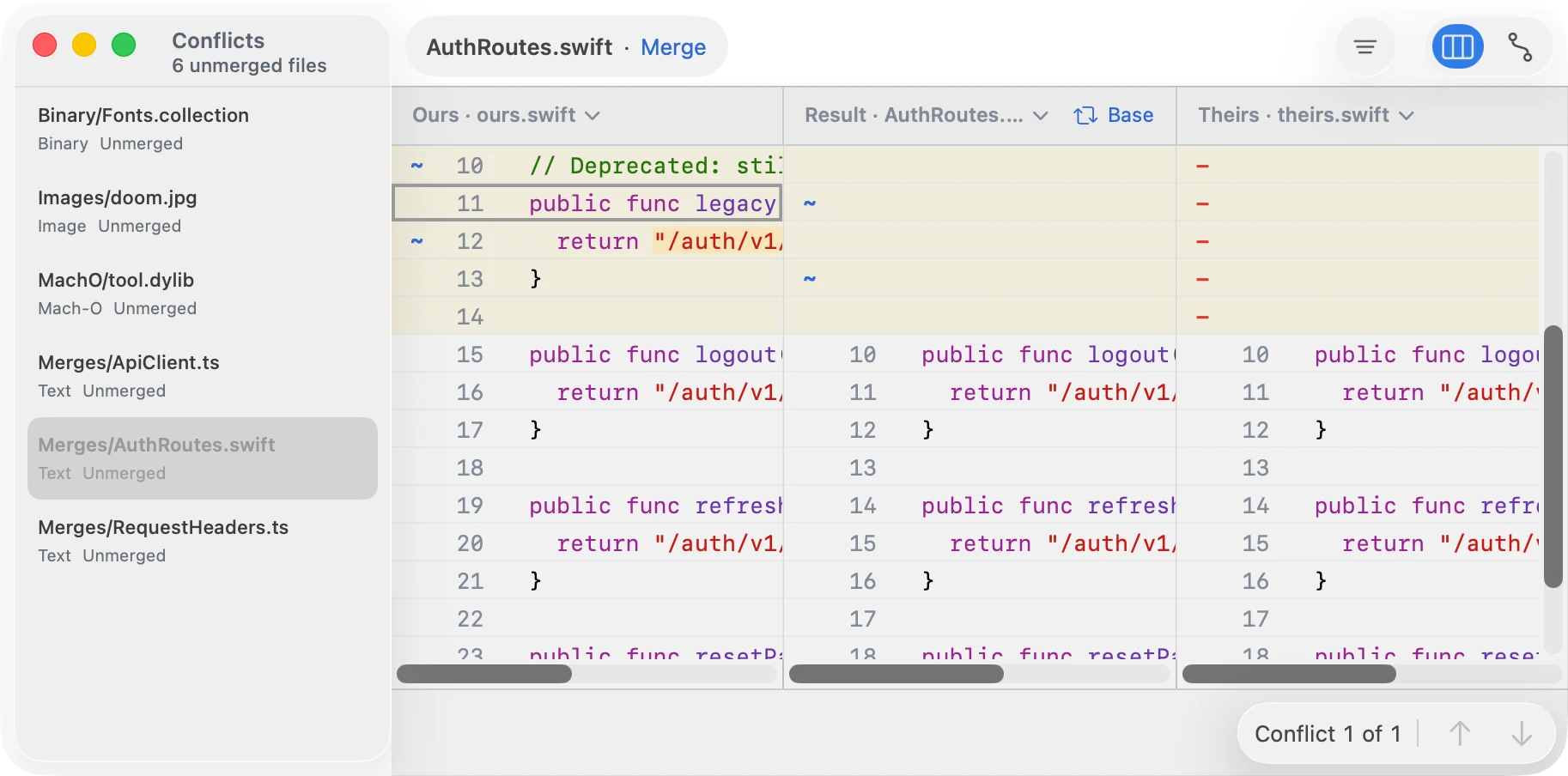
要解决冲突,编辑文件并保存。Git 会将已保存的结果视为已解决。解决冲突的常见方式是选择一侧;右键点按冲突块可查看可用操作。
Git 会为每个未解决路径启动一次界面。不过,你可以在同一个窗口中解决其他冲突,在这种情况下 Git 会跳过后续调用。
完整的边栏工作流见冲突集。
从 abd 使用
使用 abd changeset 审查变更。与
git difftool 不同,它会打开一个包含变更列表的单一窗口。
abd changeset --repo /path/to/repo --left <commitA> --right <commitB>
abd changeset --left-dir <dirA> --right-dir <dirB>
使用 abd conflicts 解决冲突。与
git mergetool
不同,它会直接打开冲突界面,而不是为每个未解决路径调用一次。如果
abd 未配置为 mergetool,它也很有用。
abd conflicts --repo /path/to/repo重置配置
要停止使用 ABDiff,请运行以下命令:
git config --global --unset-all merge.tool
git config --global --unset-all mergetool.abd.cmd
git config --global --unset-all mergetool.abd.trustExitCode

git config --global --unset-all diff.tool
git config --global --unset-all difftool.abd.cmd
git config --global --unset-all difftool.prompt