
ABDiff 附带了一个命令行工具
(abd),可用于打开比较/合并,以及在 CI 中执行图像比较。
安装
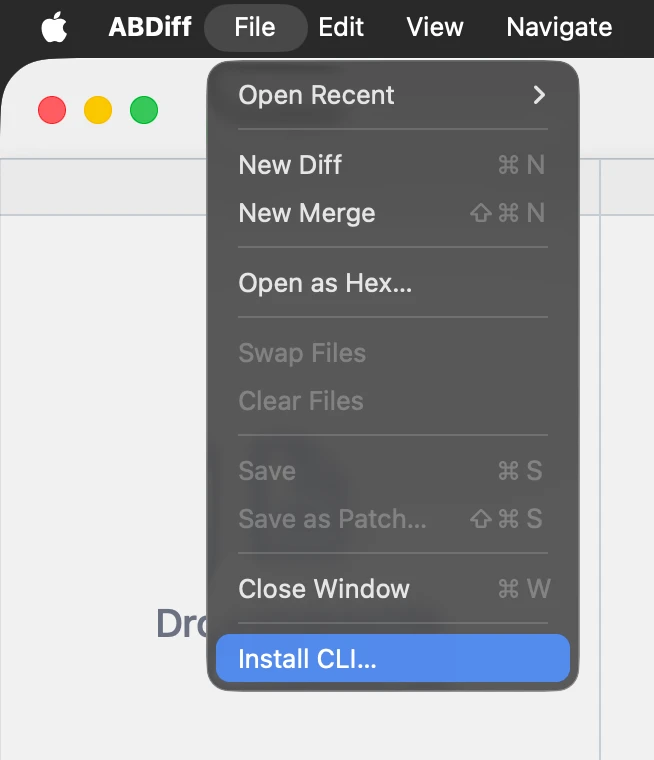
- 选择 文件 ▸ 安装 CLI…。
- 选择安装文件夹。
- 将该文件夹加入
PATH,这样就可以在 Terminal 中使用abd。
编辑 PATH
将文件夹加入 PATH 的方法:
- 编辑你的 shell 启动文件。
nano ~/.zshrc- 添加这一行并保存:
export PATH="$HOME/installation/folder:$PATH"- 重新加载该文件,或重新启动 shell。
source ~/.zshrcCLI 快速用法
下面是一些常见示例。
# Open one file in the app
abd left.txt

# Open two files (ABDiff infers viewer mode)
abd left.txt right.txt

# Print CLI version
abd version

# Explicit two-way compare
abd --local left.txt --remote right.txt

# Explicit three-way merge
abd --base Base.txt --local Ours.txt --remote Theirs.txt --result Merged.txt

# Compare images in CI (no UI)
abd image left.png right.png --metric ssim --threshold 0.98

# Launch without blocking
abd --no-wait left.txt right.txt
abd image
会输出一个分数;如果图像在阈值范围内足够相似,则以 0
退出,否则以 1 退出。