Binary inspection on macOS

Mach-O Diff Tool for macOS

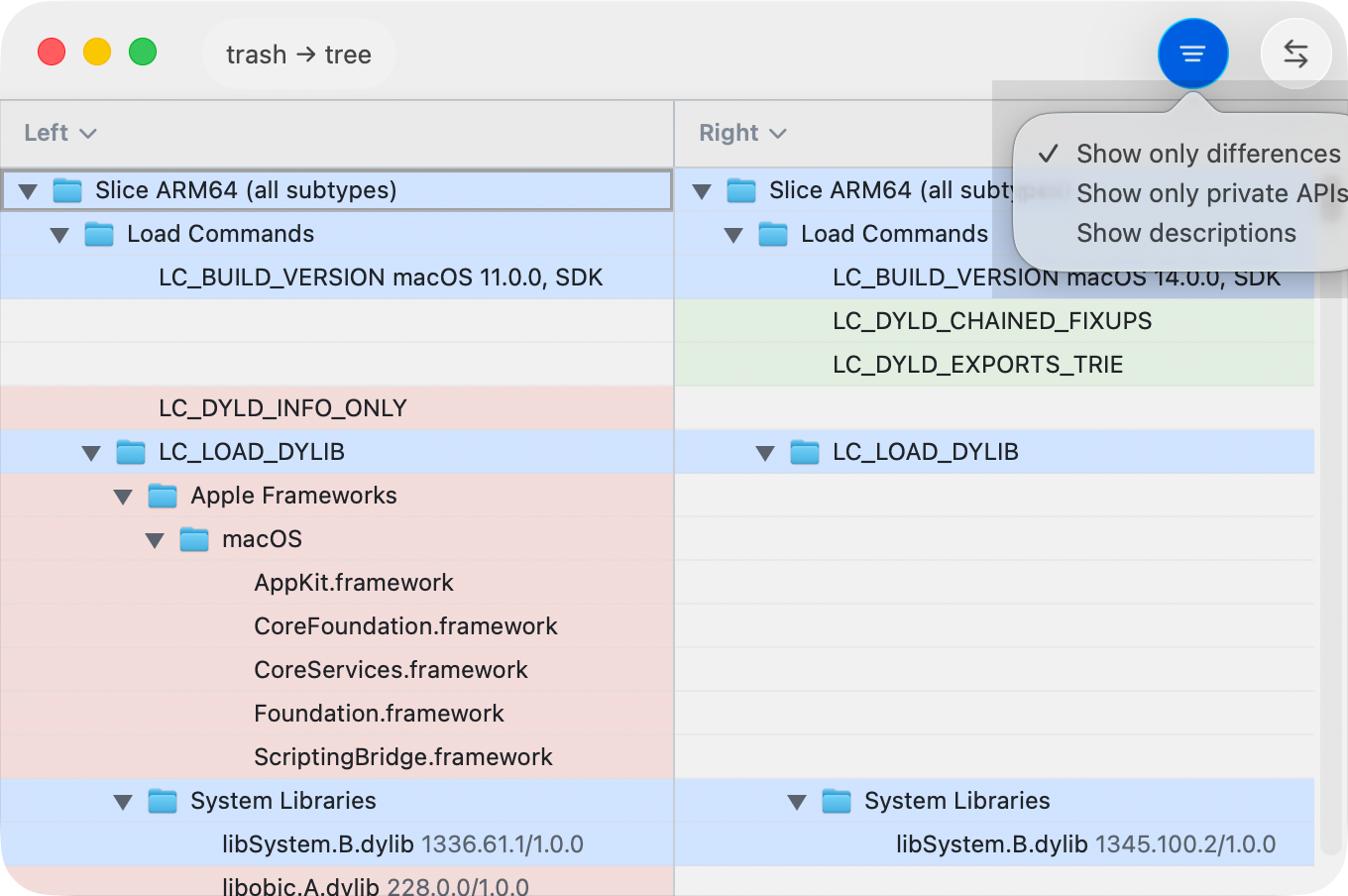
ABDiff compares Mach-O binaries on macOS with a structured, read-only tree that surfaces slice-aware metadata, load commands, segments, exports, and potential private API signals.

This is useful when a raw binary diff is too low level and you need a review surface that maps a change to the actual structure of the executable, framework, or app binary you are shipping.

  • Slice-aware inspection
  • Load commands
  • Segments and exports
  • Private API candidates
  • Read-only review
ABDiff Mach-O comparison view on macOS
ABDiff Mach-O comparison view

When it is useful

  • Reviewing binary output between builds.
  • Checking architecture slices and platform metadata before release.
  • Inspecting dylib dependencies, rpaths, and exported symbols.
  • Looking for possible private API signals before App Store submission.

Why a structured diff matters

  • Headers, load commands, and exports carry different meaning and should not be flattened into one opaque binary blob.
  • Slice-aware grouping matters for universal binaries and platform-specific output.
  • Read-only presentation keeps the review focused on inspection rather than accidental editing.

What ABDiff inspects

Area Why it matters
Header and slices Review CPU targets, file type, and universal-binary slice layout.
Load commands Inspect platform versions, dylib dependencies, and runtime paths.
Segments Understand structural layout changes inside the Mach-O image.
Exports See public symbol changes, including Swift and Objective-C exports.
Private API candidates Surface heuristics that may deserve extra review before distribution.

Related pages