
ABDiff에는 비교/병합을 열고 CI 이미지 비교를 실행하기 위한 명령줄
도구(abd)가 포함되어 있습니다.
설치
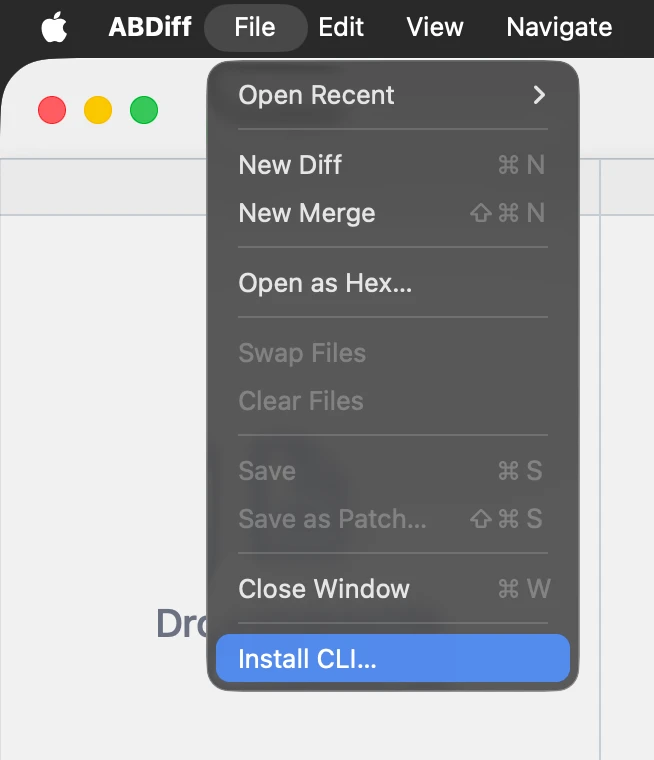
- 파일 ▸ CLI 설치…를 선택합니다.
- 설치 폴더를 선택합니다.
- Terminal에서
abd를 사용할 수 있도록 그 폴더를PATH에 추가합니다.
PATH 편집
폴더를 PATH에 추가하는 방법:
- 셸 시작 파일을 엽니다.
nano ~/.zshrc- 다음 줄을 추가하고 저장합니다.
export PATH="$HOME/installation/folder:$PATH"- 파일을 다시 불러오거나 셸을 재시작합니다.
source ~/.zshrc빠른 CLI 사용법
자주 사용하는 예시는 다음과 같습니다.
# Open one file in the app
abd left.txt

# Open two files (ABDiff infers viewer mode)
abd left.txt right.txt

# Print CLI version
abd version

# Explicit two-way compare
abd --local left.txt --remote right.txt

# Explicit three-way merge
abd --base Base.txt --local Ours.txt --remote Theirs.txt --result Merged.txt

# Compare images in CI (no UI)
abd image left.png right.png --metric ssim --threshold 0.98

# Launch without blocking
abd --no-wait left.txt right.txt
abd image는 점수를 출력하고, 임계값 범위 안에서 유사하면
0, 다르면 1로 종료합니다.