
Table Diff
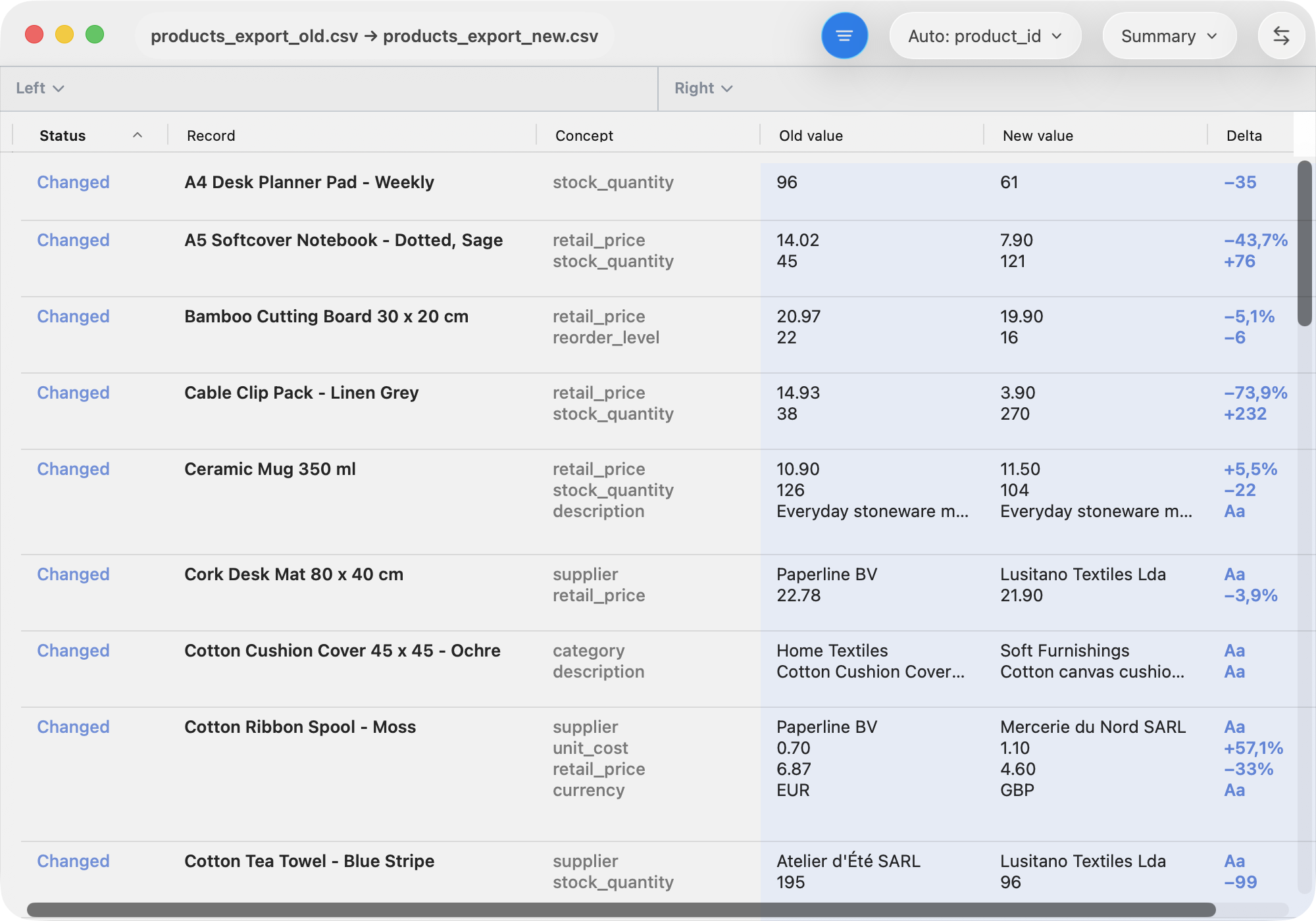
A table diff compares rows and cells from structured tables. This view is read-only.
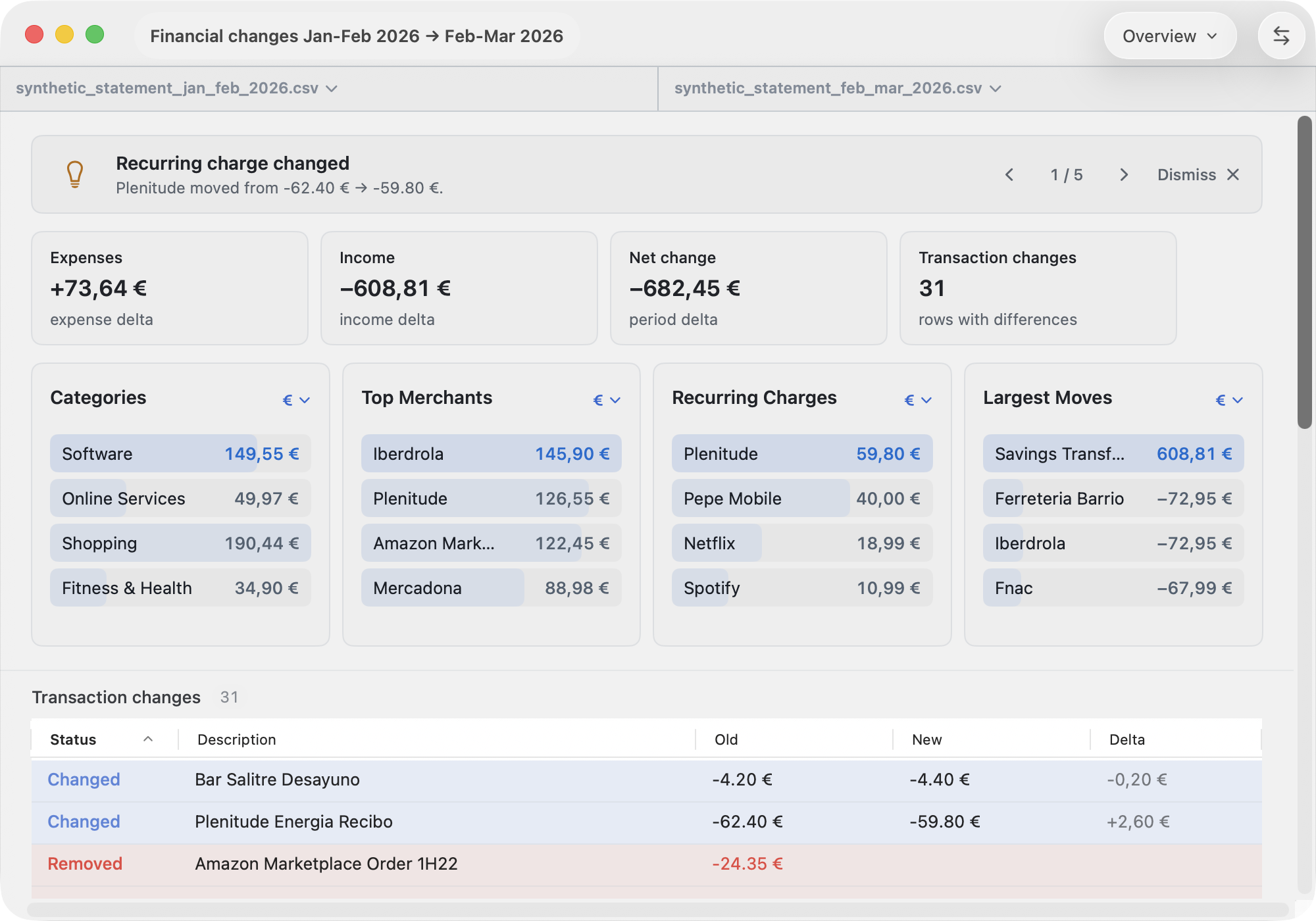
When bank statements are detected it identifies recurring charges and presents a table header with statistics.
Start a Table Diff
Most table and bank statement formats are detected, including
CSV/TSV/text, Excel workbooks (.xls, and
.xlsx), CAMT.053 XML, OFX/QFX/QBO/OFC, QIF, MT940/STA,
Norma 43, and PDF statements.
PDF files open in PDF Diff first. To scan the current PDFs as bank statements, choose File ▸ Open Current Files as Bank Statements. Images also stay in Image Diff until you explicitly choose File ▸ Open Image as Table.
Opening as Generic Table
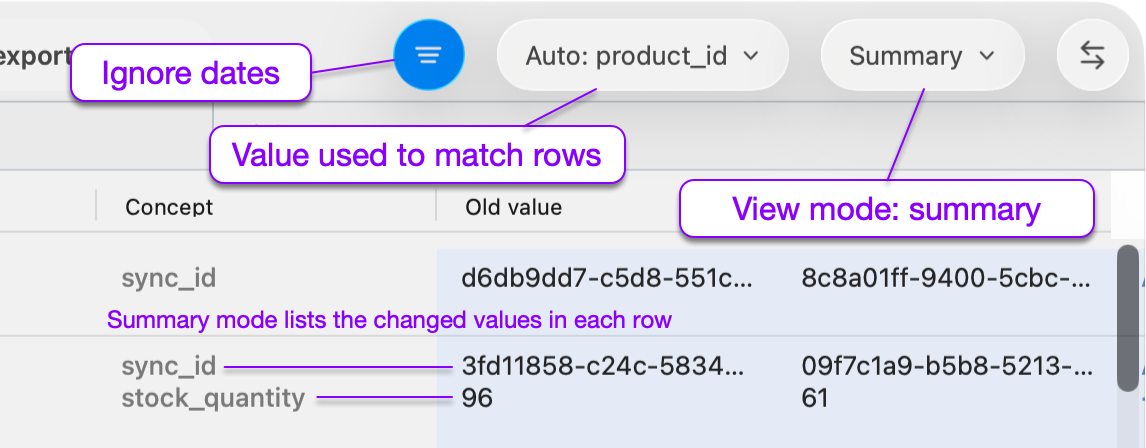
Matching rows by chooses how rows are paired before being compared:
- Auto chooses a high-confidence key column when one is
available, such as
product_id,sku, orname. Without a strong key, it falls back to entire row matching. - Exact row order compares row 1 with row 1, row 2 with row 2, and so on.
- Entire row matches rows only when all visible values are the same. A changed cell becomes a removed row plus an added row.
- A column choice, such as ID or Name, matches rows by that column.
View modes:
- Summary view lists meaningful added, removed, and changed rows.
- Changes view focuses the table on identity columns and columns that changed.
View Options:
- All Dates ignores columns containing dates.
Opening as Bank Statement
When both files parse as bank statements, ABDiff switches to statement-oriented views and uses transaction matching:
- It normalizes each transaction into: date, description, amount, currency, balance, reference.
- It matches transactions by stable references, exact transaction details, recurring charges, merchant-and-amount patterns, and possible matches with close dates or similar descriptions.
View modes:
- Overview summarizes expense, income, net-movement, and transaction-change deltas. It also highlights category changes, top merchants, recurring charges, and the largest moves.
- Transactions shows only rows that need review, such as changed transactions, transactions only in the old or new statement, possible matches, and duplicate candidates.
- Source: Left and Source: Right show the parsed source rows so you can audit the normalized transaction table against the original columns.