
PDF Diff
A PDF diff compares two PDFs as rendered pages with semantic text-change highlights.
It is designed for text-bearing PDFs such as contracts, agreements, reports, and other documents where wording matters. This is a read-only view.
Start a PDF Diff
Drop two PDF files** to open PDF Diff. Drop one PDF to inspect it in the single-PDF viewer.
PDFs do not scan for bank-statement transactions when they first open. If the current PDFs are bank statements, choose File ▸ Open Current Files as Bank Statements to scan them and reopen them in Table Diff.
Visual Mode
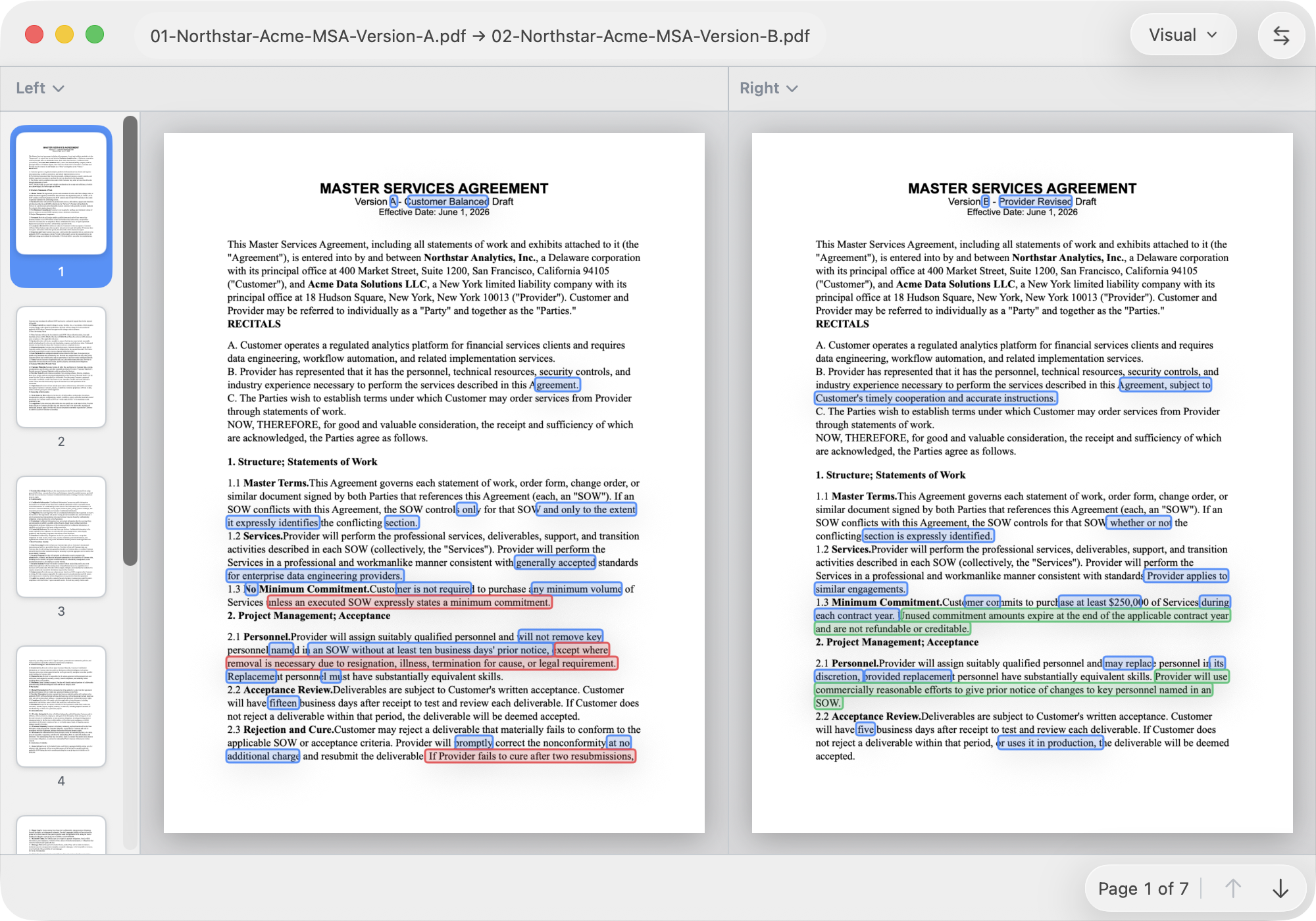
Visual mode is the default PDF view. ABDiff renders the current page pair and draws text-change highlights over the original page images.
- The page thumbnails on the left navigate through the document.
- The center area shows the current left and right pages side by side.
- The bottom bar shows the current page and previous/next page controls.
- Missing pages are shown as blanks on the side where that page does not exist.
The highlights are text-driven, not raw pixel-difference boxes. This avoids noise from antialiasing, renderer differences, or small layout drift while still showing where the changed wording appears on the page.
Text Mode
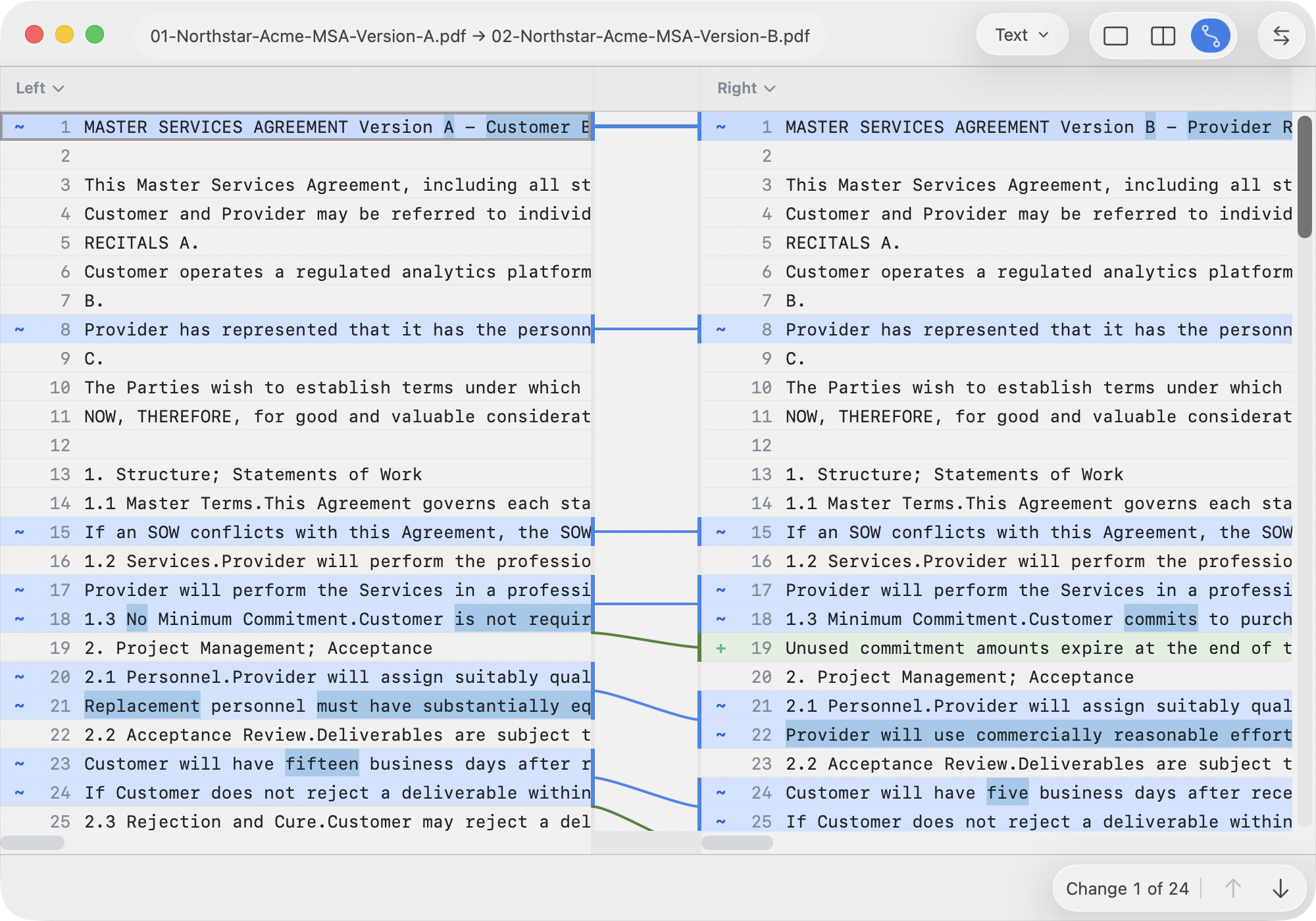
Switch to Text mode to compare extracted PDF text with the normal text diff viewer.
ABDiff extracts text using available PDF text data and falls back to OCR when needed. It also reflows soft line wraps so contract paragraphs and numbered sections compare more like editable text.
Text mode is useful when you want to:
- review a long wording change without page layout in the way
- use text-diff navigation and connectors
- copy selected extracted text for review
- see changes that span a page wrap
Contract-Aware Matching
PDF text often wraps differently between versions even when the
paragraph is the same. ABDiff groups positioned text into logical lines
and preserves numbered section anchors, such as
2.3 Rejection and Cure, before comparing the text.
This makes contract and report comparisons less sensitive to line wrapping and more focused on additions, deletions, and changed words.